Hyundai Manufacturing Date Check: VIN and Documents
Check a Hyundai manufacturing date before delivery using the stamped VIN, Form 22 and RC. Find verified VIN locations and resolve a date mismatch safely.

Co-Founder & CEO
Gaurav brings strategic leadership and business development expertise, with a focus on growth and partnerships. He shapes vindecode.pro around the questions buyers and owners actually ask about VINs, RC checks and manufacturing dates, and drives the goal of making it the most trusted free VIN decoder for India and the US.
For a Hyundai manufacturing date check, first match the VIN on the car to the dealer's allocation and Form 22, then use the Form 22 or RC field called Date of Manufacture for the month and year. The 17-character VIN helps identify the vehicle and model year, but it is not a substitute for the manufacturer document that records the build date.
Do this before the dealer submits the vehicle for registration. Start with the VIN decoder home to count and preserve the full identifier, and use the manufacturing-date page as a quick cross-check, then keep the signed documents as the deciding record.
Hyundai Manufacturing Date Check in Five Minutes
At the stockyard, ask the sales adviser for the vehicle allotment sheet, Form 22, tax invoice draft and the keys before registration. The purpose is not to decode every character. It is to prove that the car in front of you is the car on the papers.
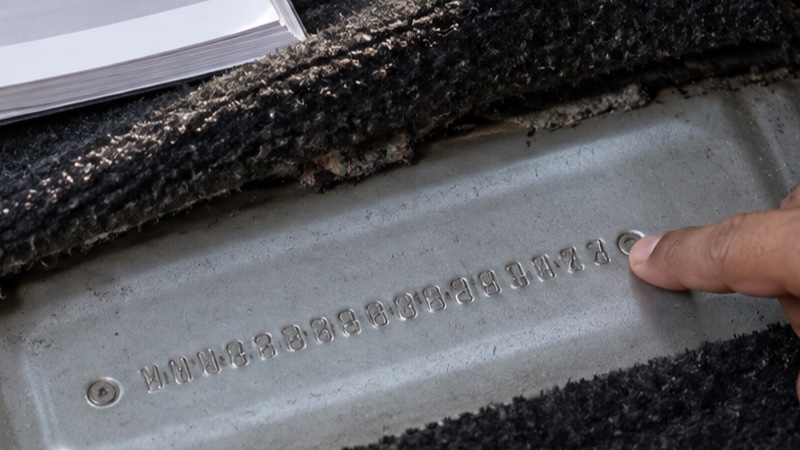
- Photograph the stamped frame number in one continuous shot that also shows its position in the car. Do not post the full number online.
- Copy the 17 characters into your notes, keeping letters and digits separate. Boundary symbols or stars, if present, are not part of the VIN.
- Match every character against the dealer allotment sheet. Ask the adviser to print a fresh copy if a character is smudged.
- On Form 22, check the printed Chassis number field. Form 22 is the manufacturer road-worthiness certificate issued with the vehicle under the Central Motor Vehicles Rules.
- Locate the month-year the dealer is relying on. After registration, compare it with the RC field Date of Manufacture (mm-yyyy). The prescribed RC format also prints Chassis Number.
An illustrative string such as MALAB51CLTM123456 shows the safe way to count: MAL is the three-character manufacturer identifier, characters 4 to 9 describe the vehicle, character 10 is the model-year position, character 11 is the plant position, and characters 12 to 17 are the serial portion in the Indian VIN reference. It is an example only, not a decoded Creta or Venue. Never use a sample string to identify a trim, month or factory.
Where to Find the Hyundai VIN and Frame Number
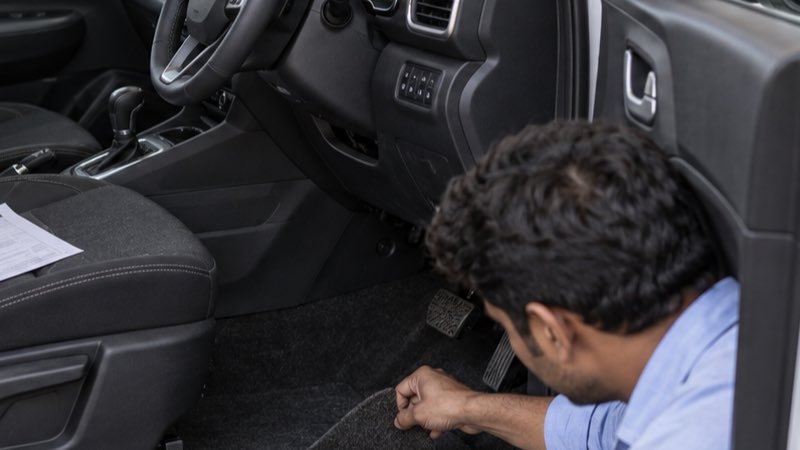
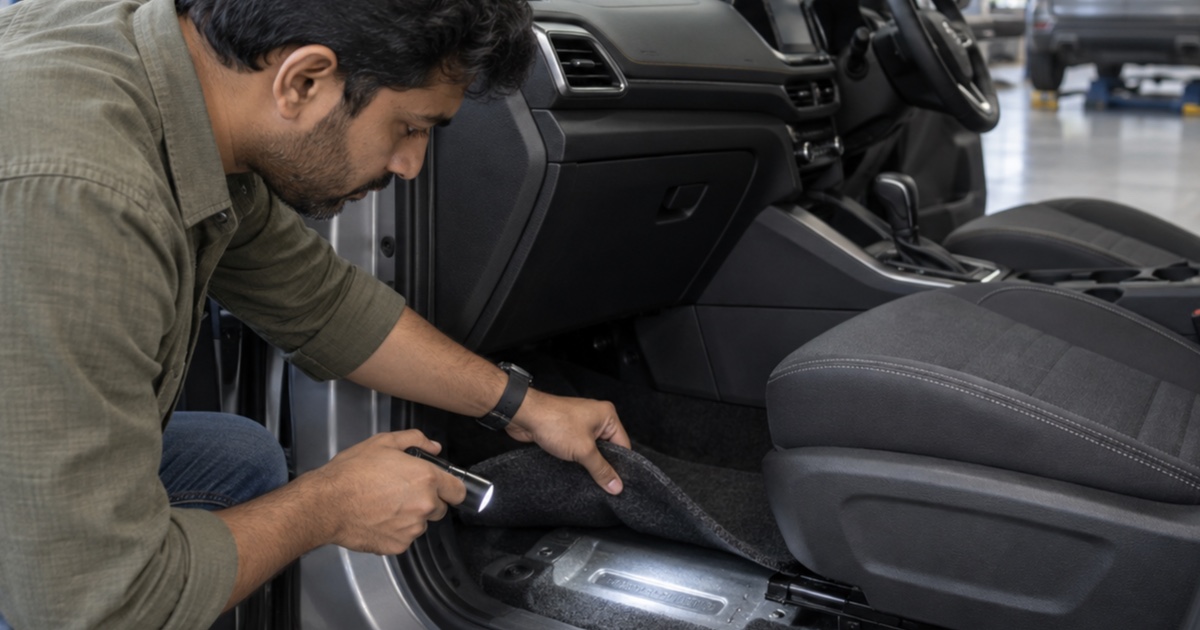
Hyundai India publishes model-specific owner manuals, so use the manual that matches the model and model year you are inspecting. In the Next Gen Verna manual, Hyundai says the frame number is punched on the floor under the driver seat, behind a cover. The same manual says the vehicle certification label on the driver's-side centre pillar gives the VIN. That gives you two vehicle locations to compare before you touch any paperwork.
For a Creta, Venue, i20 or another model, do not assume the carpet cut-out is in the identical spot. Slide the driver seat fully back, look for a factory-finished flap, and ask the dealer to point it out without scraping paint or prising loose trim. Then open the driver's door and find the certification label on the centre pillar. A windshield VIN window can be convenient where fitted, but a label or glass view is not as difficult to alter as a chassis stamp, so use it as a comparison point rather than the only proof.
If you cannot find the stamped number, record that fact on your PDI checklist and ask the service manager, not only the salesperson, to show the location from the correct owner manual. The PDI guide for a new car has a fuller delivery-day sequence.
What a Hyundai VIN Can Reliably Tell You
The Bureau of Indian Standards says a VIN has 17 characters: the first three are the World Manufacturer Identifier, the next six are the Vehicle Descriptor Section, and the final eight are the Vehicle Identifier Section. Its published Indian reference describes position 10 as the model year, position 11 as the manufacturer plant code, and positions 12 to 17 as the six-digit serial number. That is enough to catch a wrong vehicle allocation or a mistyped VIN.
It is not enough to promise an exact Hyundai assembly month from a public code table. We could not verify an official Hyundai India publication that assigns a build month to a universal 19th character or any other fixed position across the current model range. Avoid charts that present a letter-to-month formula without a model-specific manufacturer source. A code can change between platforms, years or factories.
Use the 10th character as a model-year check with the VIN 10th-character year chart, then verify the physical manufacturing month with the documents. Model year and actual assembly month are different things, especially around a year-end model change.
| Check | What it can establish | What it cannot establish alone |
|---|---|---|
| Stamped frame number | The vehicle's identity | Its storage history or exact build month |
| Centre-pillar VIN label | A quick second vehicle match | A replacement-free history of the body panel |
| VIN position 10 | Model-year position | Exact manufacturing month |
| Form 22 and RC | Documented chassis number and recorded date fields | Current cosmetic or battery condition |
Documents That Confirm the Manufacturing Date
For an unregistered car, ask to see the manufacturer-issued Form 22 and check its chassis number against the metal stamp. The current prescribed Form 22 identifies the model or commercial name, chassis number and engine or motor number, among other compliance details. It is the right document to request from an authorised dealer when you need a manufacturer-backed record, not an informal stockyard tag.
After registration, inspect the RC. The prescribed electronic smart-card RC format includes Date of Manufacture (In mm-yyyy) under vehicle details and then Chassis Number. That is why an official RC status check is useful after registration, while it cannot replace the pre-registration document check.
For an owner checking an already registered Hyundai, DigiLocker can fetch a MoRTH-issued digital RC for the rightful owner when the relevant records match. The number you see there should still match the car's stamp. If it does not, treat it as a serious discrepancy rather than a formatting problem.
PDI Checks and What to Do When Dates Do Not Match
Once the date record looks right, inspect the condition that a date alone cannot show. Walk around the car in daylight. Look for paint texture changes, mismatched panel gaps, transport-film residue, tyre sidewall damage and a battery warning light after start-up. Check all five tyres, including the spare, for the four-digit DOT week-year code. That code dates the tyre, not the car, but a conspicuously older tyre deserves a written explanation.
Use this response table when a check fails:
| Finding | Do before registration | Do not do |
|---|---|---|
| One VIN character differs | Photograph both records and ask for a corrected Form 22 or a different allocation | Sign an acknowledgment that the details will be fixed later |
| VIN matches but build date is older than expected | Ask where it was stored, request a written inspection result, and decide on the offered terms | Assume every older unit is defective or every discount cures condition issues |
| Dealer cannot show Form 22 | Escalate to the dealership manager and wait | Release final payment based on a verbal promise |
| RC date differs after registration | Raise a written query with the dealer and relevant registering authority with copies of Form 22 and RC | Alter, restamp or obscure any vehicle identifier |
An older build is not automatically a bad car. It does mean the conversation should shift from a date on a screen to storage, tyres, battery condition, paint and paperwork. See what to check on an older-stock new car before agreeing to delivery.
Frequently asked questions
Can I find the exact Hyundai manufacturing month from the VIN?
Treat the VIN as an identifier and model-year clue. For the recorded month and year of manufacture, compare the manufacturer Form 22 with the RC field labelled Date of Manufacture.
Where is the VIN on a Hyundai Creta, Venue or Verna?
Check the model-specific owner manual first. Hyundai India manuals commonly show a punched frame number beneath the driver seat and a VIN label on the driver-side centre pillar; locations can differ by model and model year.
What should I do if the Form 22 VIN differs from the car?
Stop the registration and delivery process. Photograph the discrepancy, ask the dealer to correct or replace the paperwork, and do not rely on an oral explanation.
Can the RC show the manufacturing date?
Yes. The prescribed smart-card RC format includes a vehicle-details field called Date of Manufacture in mm-yyyy, alongside the chassis number.
Sources & official references
- Bureau of Indian Standards: World Manufacturer Identifierbis.gov.in
Explains the 17-character VIN structure and WMI.
- Hyundai India owner manual: Vehicle Identification Numberhyundai.com
Shows the punched frame-number and centre-pillar label locations for the covered Verna manual.
- MoRTH Form 22 notificationmorth.nic.in
Prescribes the road-worthiness certificate issued with a vehicle.
- Parivahan Form 23A certificate of registrationparivahan.gov.in
Lists Date of Manufacture and Chassis Number in the RC format.